
Axeptio
Via un script personnalisé
Vous pouvez déclarer le script Koban directement via un script Axeptio personnalisé.
Ajoutez le Cookie Koban de cette manière :
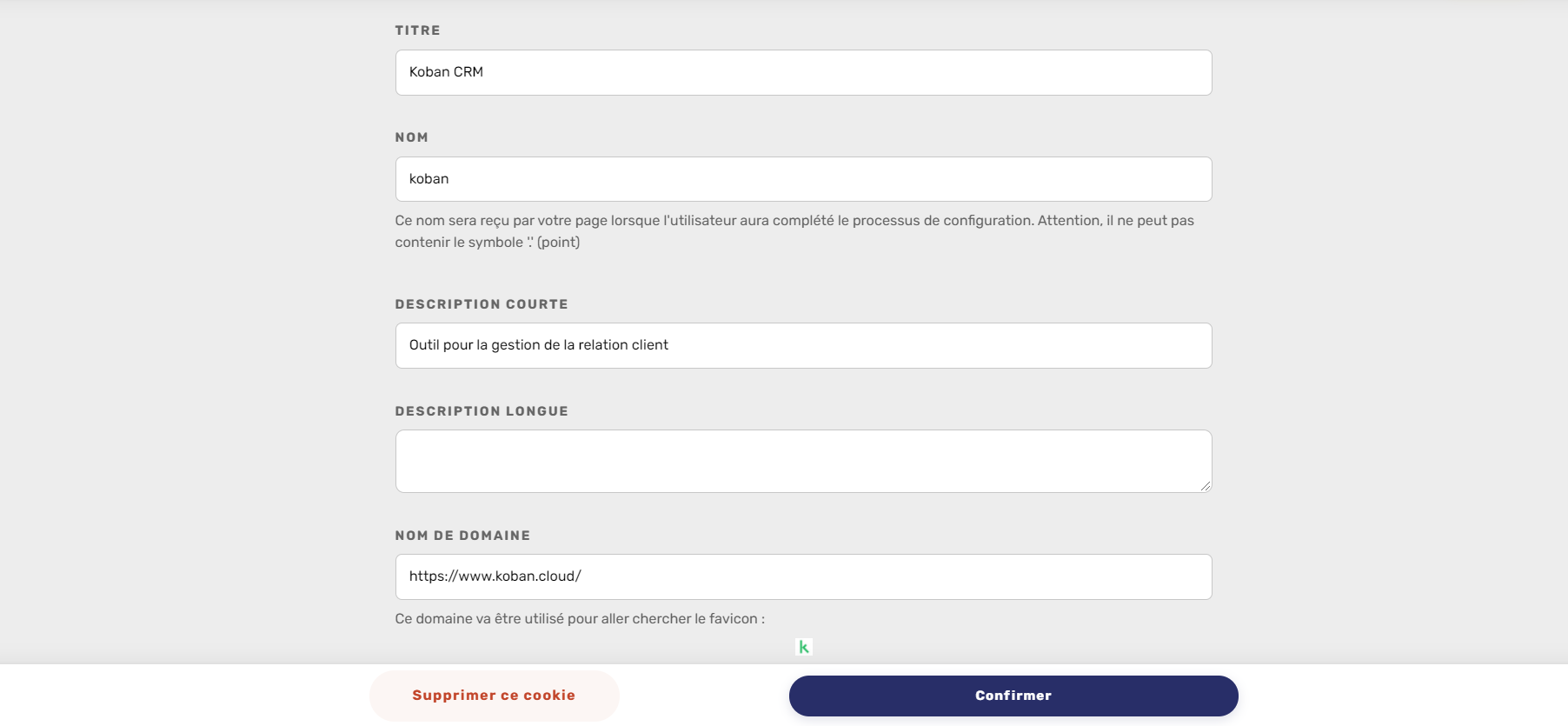
Il vous faudra ensuite personnaliser le code Axeptio sur votre site de la façon suivante, par exemple ici associé à un cookie Google Analytics :
<script>
  window.axeptioSettings = {
    clientId: "ID CLIENT AXEPTIO",
  };
  (function(d, s) {
    var t = d.getElementsByTagName(s)[0], e = d.createElement(s);
    e.async = true; e.src = "//static.axept.io/sdk.js";
    t.parentNode.insertBefore(e, t);
  })(document, "script");

  function loadGoogleAnalyticsTag() {
    (function(i,s,o,g,r,a,m){i['GoogleAnalyticsObject']=r;i[r]=i[r]||function(){
    (i[r].q=i[r].q||[]).push(arguments)},i[r].l=1*new Date();a=s.createElement(o),
    m=s.getElementsByTagName(o)[0];a.async=1;a.src=g;m.parentNode.insertBefore(a,m)
    })(window,document,'script','https://www.google-analytics.com/analytics.js','ga');

    // Modifier la valeur UA-XXXXX-Y par votre UA
    ga('create', 'UA-XXXXX-Y', 'auto');
    ga('send', 'pageview');
  }

  function loadKobanTag(){
    (function (i, s, o, g, r, a, m) {
      i['KobanObject'] = r; i[r] = i[r] || function () {
        (i[r].q = i[r].q || []).push(arguments)
        }, i[r].l = 1 * new Date(); a = s.createElement(o),
        m = s.getElementsByTagName(o)[0]; a.async = 1; a.src = g; m.parentNode.insertBefore(a, m)
    })
    (window, document, 'script', 'https://addin-koban.com/libapi/kobantracker.js', 'kb');
    // Modifier YOURAPIKEY par votre clé API Koban
    kb('reg', 'YOURAPIKEY');
  }

  void 0 === window._axcb && (window._axcb = []);
  window._axcb.push(function (axeptio) {
    axeptio.on("cookies:complete", function (choices) {
      if (choices.google_analytics) {
        loadGoogleAnalyticsTag();
      }
      if (choices.koban) {
        loadKobanTag();
      }
    });
  });
</script>